

Hetzner and Cloudflare as Code — Terraform
STACK USED
- Terraform
- Hetzner Cloud
- Cloudflare
- Cloudflare R2
- Docker Swarm
Project Overview
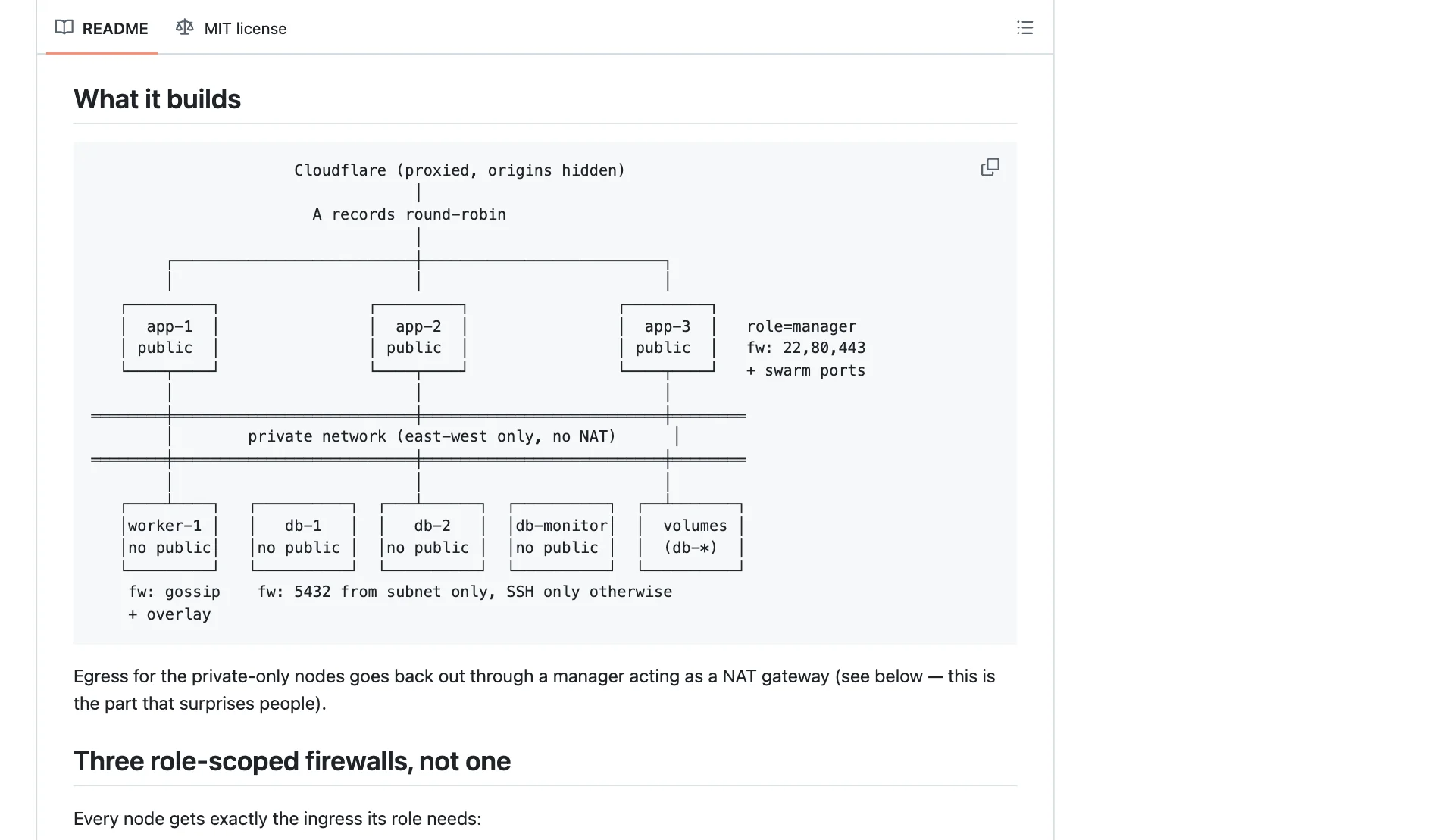
Terraform for a role-segmented Docker Swarm cluster on Hetzner Cloud. Public manager nodes sit behind Cloudflare; workers and database nodes have no public address at all. Three firewalls give each role only the ports it needs, and Cloudflare — the zone, DNS, R2 storage and Turnstile — is managed as code too.
It was extracted from a production deployment. Terraform provisions the infrastructure and stops there: joining the cluster and deploying stacks are left to configuration management, which handles re-runs far better.
Key Features
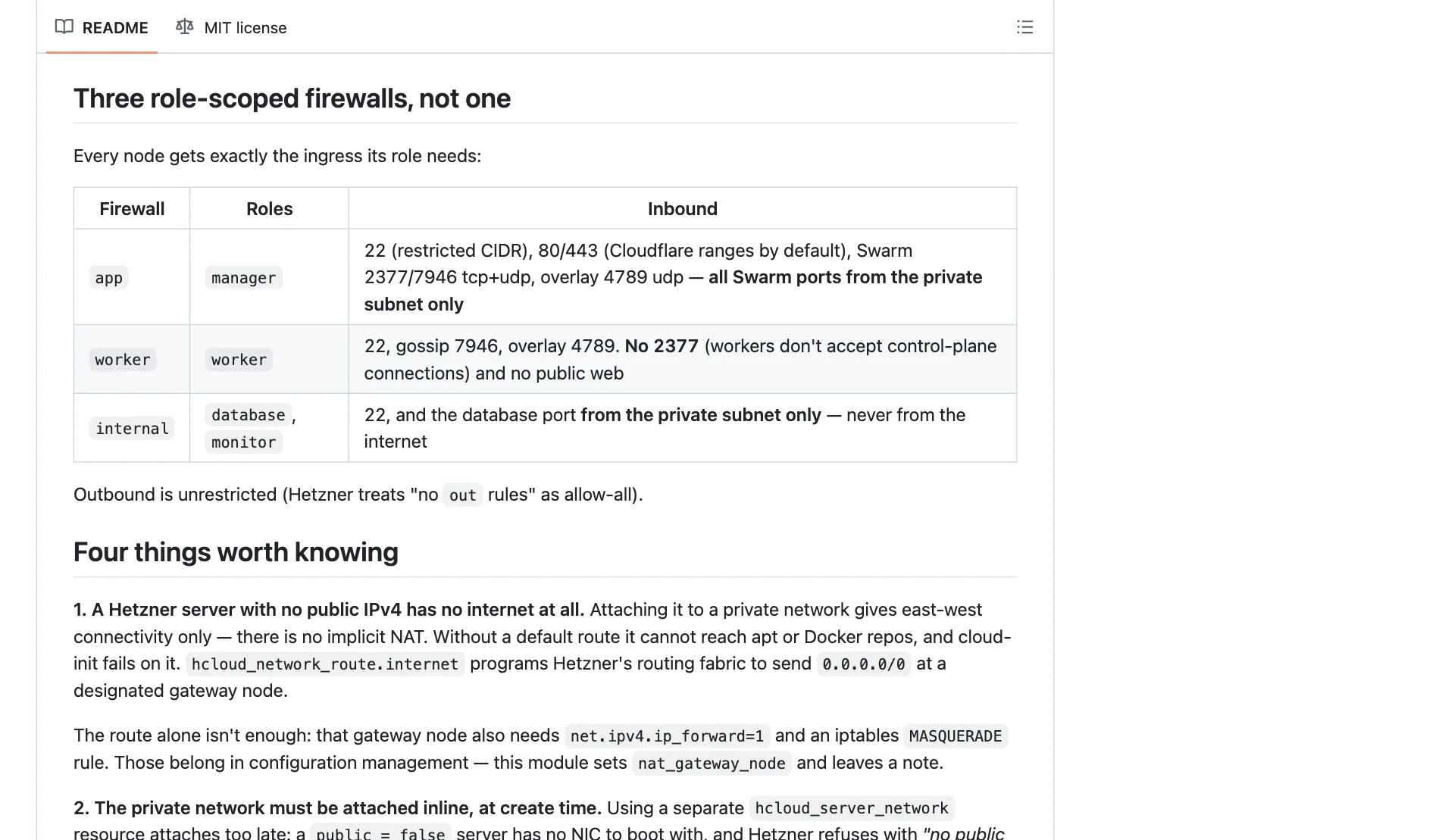
Firewalls by role

Web traffic reaches the managers only from Cloudflare's address ranges, and cluster ports only from the private network.
The database port is reachable from the private network only, never from the internet.
State without a lock table
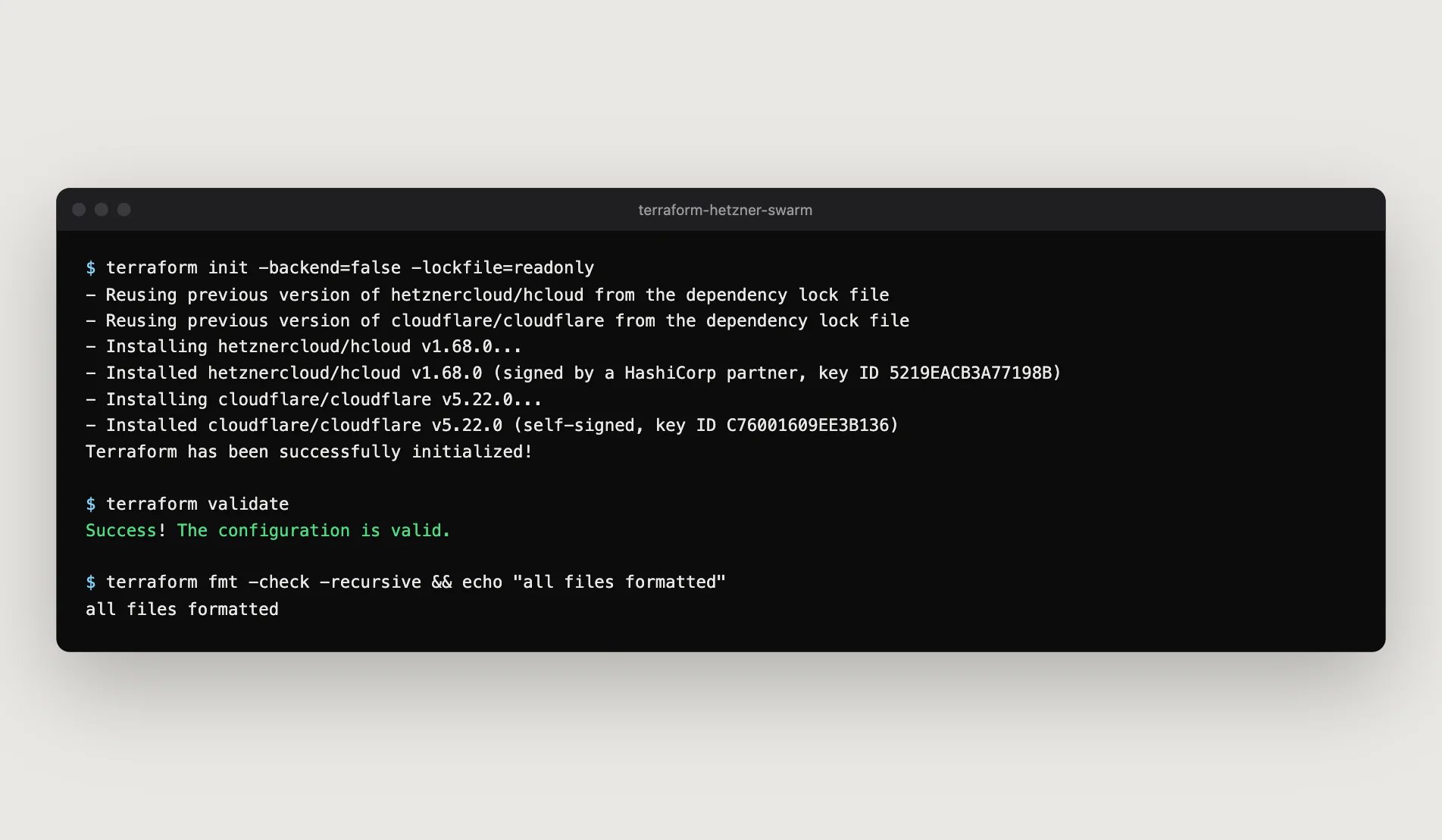
Terraform state lives in an S3-compatible bucket with native locking, so there is no DynamoDB table to provision or pay for.
Guard rails
Storage buckets are protected against terraform destroy.
The provider lock file covers macOS and Linux, so a laptop and a CI runner install identical providers.
Project Gallery
Challenges Solved
Private servers have no internet
A Hetzner server without a public address can't reach package repositories, so its setup fails. A network route sends outbound traffic through a manager node acting as a NAT gateway.
Servers that can't boot
A server with no public address needs its private network attached at creation, or Hetzner refuses to start it. The network is attached inline rather than as a separate step.
Values unknown until apply
Terraform won't plan resources keyed on values it can't know yet. DNS records are keyed on static names, with the servers' IP addresses only in the values.
Check other similar projects

Kubernetes Delivery Platform — k3s and Argo CD
A small FastAPI service and the full platform around it. Terraform creates the Proxmox virtual machines, Ansible builds them into k3s clusters for staging and production, and a Helm chart packages the application with its database, ingress and backups. GitLab CI tests, builds and scans each image, then records the new release in Git. Argo CD pulls that change and reconciles both clusters. The application is deliberately small, so the platform decisions stay easy to see.
Read more
PostgreSQL High Availability — Ansible
Ansible roles for self-hosted PostgreSQL with automatic failover. A monitor node watches a primary and a standby, and promotes the standby in about 30 seconds if the primary dies. Authentication is scram-sha-256 end to end, and backups and restore rehearsals run on systemd timers. They were extracted from a production deployment on Hetzner Cloud. The README documents the sharp edges of running pg_auto_failover with strict authentication — the parts most guides leave out.
Read more
OpenedX Deployment
This Open edX deployment project involved end-to-end implementation of a scalable open-source learning management system. Starting from a clean Ubuntu server install, I configured essential security layers (firewalls, DNS, SSL) and deployed Open edX using Docker. Beyond deployment, I customized the platform extensively—modifying the frontend and backend via a GitHub fork of the brand-edx-platform repo. Custom features like enhanced course navigation, branding integration, and user interface tweaks were implemented, transforming the platform into a production-ready, user-centric LMS tailored to organizational needs.
Read more
Docmost Deployment
Docmost was deployed as a private knowledge and productivity platform to replace cloud-based tools like Notion. I installed and configured the service on an existing Ubuntu server using Docker, securing it with firewall rules, domain-based HTTPS access, and persistent storage. The platform now serves as a centralized hub for documentation, planning, and project tracking. Its self-hosted nature ensures data privacy and full administrative control. I customized workspace settings, optimized performance, and integrated it into my daily workflow for personal knowledge management and internal team collaboration.
Read more